
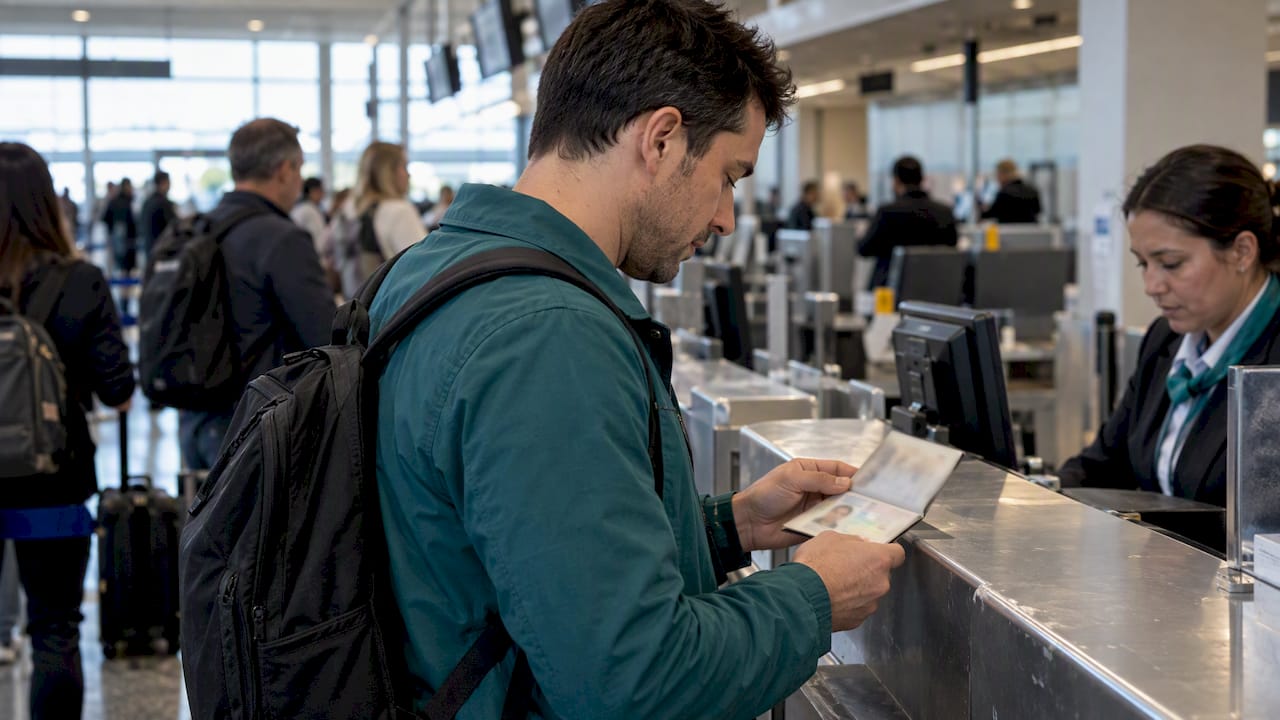
Travel document verification confirms that your passport or visa is genuine, belongs to you, is valid for your itinerary, and meets entry and transit rules. The single most important preflight action is to confirm passport validity and required visas with your airline or IATA Timatic before you leave for the airport. Treat the U.S. State Department and TSA as your fallback authorities.
TL;DR:
- Check passport expiration and blank pages against every country on your route, confirm visas and transit permissions, and match your ticket name exactly.
- Use the airline’s official check in flow or IATA Timatic before departure; an approved result lowers risk but cannot guarantee admission.
- CAT verifies identity and reservation data, but not the boarding pass; TSA ConfirmID costs $45, averages 10 to 15 minutes, and may take longer.
- Upload documents only through official airline or government portals, keep copies separate from originals, and contact the airline first if a check fails.
Table of Contents
- What should be on your preflight verification checklist?
- How do airline and Timatic verification systems work?
- What exactly should you inspect on passports and visas?
- What happens at airport security and the gate?
- How should you photograph, upload and store your documents?
- What should you do if verification fails?
- How are biometrics changing travel document verification?
- How does liveness detection stop deepfakes and spoofing?
- Where do AI and machine learning fit into fraud detection?
- How do digital passports and mobile IDs change verification?
- What privacy and compliance rules apply to biometric checks?
- Which fraud techniques target travel documents, and how are they caught?
- Why automated checks never replace your own confirmation
- Where can you read more about the tech behind document checks?
- FAQ
- Sources
What should be on your preflight verification checklist?
Most denied-boarding stories begin with a document problem that was visible days earlier. Work through these checks well before departure, and give yourself time to fix anything that fails.
- Compare your passport expiration date against the destination’s rules, since some countries require several months of remaining validity, and confirm any blank-page requirement.
- Verify the visa or electronic travel authorization for your destination and for every stop where you change planes.
- Match the name, dates and flight number on your booking in the airline’s app or website against your passport.
- Gather acceptable ID plus supporting papers such as vaccination proof, accommodation details and a return ticket when the destination asks for them.
- Make physical and digital copies, store them apart from the originals, and photograph each document in even light.
- If you lack acceptable ID for a domestic flight, know that TSA ConfirmID exists as a fee-based fallback, and pay for it before you reach the checkpoint.
Pro Tip: Email yourself the photos and keep one printed set in a different bag from your passport, so a single lost bag never leaves you without proof of identity.
How do airline and Timatic verification systems work?
Automated preflight checks are a compliance decision, not a cosmetic scan. IATA’s Timatic Doc Scan gives you a pre-airport workflow: you upload your documents, automated rules and database checks run, and the airline returns an “OK to Travel” result or tells you what to fix. IATA says Timatic supports more than 15,000 document types and reports more than 700 million passenger-document verifications annually.
Here is the typical flow:
- You submit a photo or typed document data through an airline’s official check-in tool.
- The system looks up the required documents for your route and compares them to what you provided.
- You get an explicit confirmation or specific next steps while there is still time to act.
The limits matter. A preflight “OK” reduces risk, but it does not replace final admission decisions by border authorities at your destination. The practical trust signal is integration: a result that appears inside the airline’s own check-in flow, with clear “OK to travel” wording, is far more reliable than a third-party app giving you a green checkmark.
What exactly should you inspect on passports and visas?
A passport that looks fine can still fail the trip. The State Department’s guidance makes the point that you must separately confirm destination-specific validity, blank pages, visa and transit rules, including that some destinations require at least six months of validity.
- Check the expiration date against each country on your route, not just your final stop.
- Count blank pages, because some destinations require a specific number and carriers may enforce the requirement.
- Match the ticket name exactly to the passport or official ID. CBP warns that mismatches can trigger extra documentation or prevent boarding.
- Confirm visa or eTA status and any transit permissions, and keep every confirmation and receipt.
- Remember the limit of a passport card: it is valid for land and sea crossings, not for international air travel.
Passport cards are not accepted for international air travel. Verify which document your itinerary needs before you assume a card will do.
What happens at airport security and the gate?
At the checkpoint, verification shifts from your documents to your identity and ticket status. TSA publishes a list of acceptable IDs that includes a U.S. passport, passport card, foreign government-issued passport, REAL ID-compliant identification, enhanced driver’s license and permanent resident card, among others. Check the current list on TSA’s Credential Authentication Technology page before you travel.
- Credential Authentication Technology (CAT) authenticates your ID and checks reservation data in near real time against Secure Flight, but it does not replace airline check-in or the boarding pass you need at the gate.
- TSA ConfirmID costs $45, averages 10–15 minutes and can take longer, per TSA’s ConfirmID FAQs.
- TSA PreCheck Touchless ID uses facial comparison for enrolled travelers, yet you must still carry an acceptable physical ID as backup, as TSA explains.
Pro Tip: Pay for ConfirmID before you reach the checkpoint and keep the receipt handy, since you will present proof of payment to the officer.
For a deeper look at digital credentials at checkpoints, see our piece on TSA digital identity preflight steps.
How should you photograph, upload and store your documents?
An upload may be rejected because of the capture or the document. Check the image and follow the portal’s instructions if it is rejected.
- Lay the document flat under even light, with all four corners visible, no glare, and the machine-readable zone (the two lines of characters at the bottom of the photo page) included if requested.
- Use a standard image format and stay within the portal’s size limit, and keep the originals plus a separate backup.
- Upload only through official airline or government portals, and avoid unofficial apps that ask for passport images.
- Skip public Wi-Fi for sensitive uploads, and delete temporary copies after the trip if privacy is a concern.
The State Department also recommends making multiple copies and keeping them separate from your originals.
What should you do if verification fails?
Move fast, because every remedy depends on lead time.
- Contact the airline check-in desk first and ask exactly what is missing.
- Contact the destination’s embassy or consulate for visa or entry problems, and start early because timelines vary.
- Use State Department emergency passport services if you qualify, and expect processing constraints.
- Carry backup proof of your attempts: emails, payment receipts and confirmations.
IATA’s model is built around this idea: resolving a missing or incorrect document before the airport gives you time to reach embassies, airlines or visa authorities.
How are biometrics changing travel document verification?
Facial comparison is the most visible change. Instead of an officer eyeballing a photo, a system compares a live capture against the image on the document or in the chip. Where supported, IOM’s verification system can retrieve the chip facial image for a 1:1 comparison with the live traveler.
Each modality has a different profile. Face matching can be contactless. The capabilities and use of face, fingerprint and iris checks vary by system and setting.
The consumer-facing edge is voluntary. TSA’s digital identity guidance stresses that facial comparison can speed processing, yet travelers should still carry physical ID because digital credentials may fail verification or may not be accepted at every checkpoint. Biometrics add a layer of assurance rather than replace documents. For the technical background, our explainer on selfie identity verification covers how these matches work.
How does liveness detection stop deepfakes and spoofing?
A face match proves resemblance, not presence. Liveness detection asks a harder question: is a real person in front of the camera right now? Attackers answer that with printed photos, replayed videos, masks, and increasingly with synthetic faces injected directly into the capture pipeline.
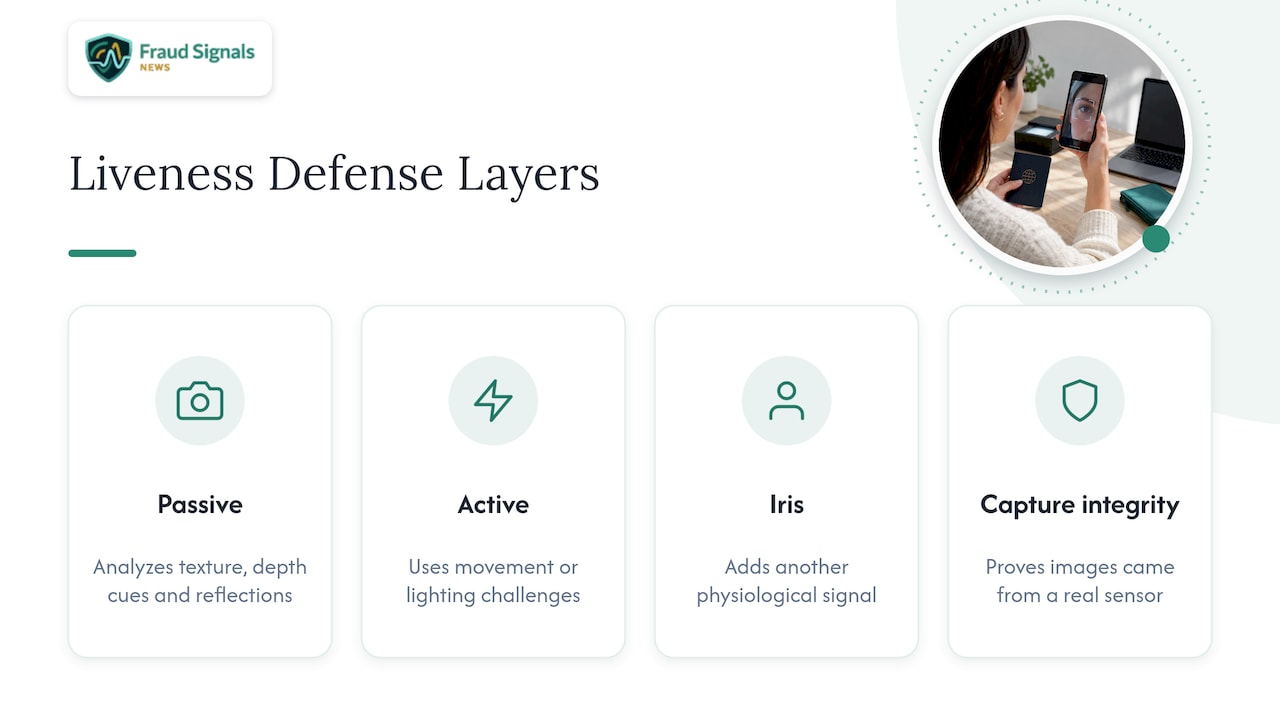
Defenses work in layers. Passive liveness analyzes texture, depth cues and reflections in a single capture. Active liveness asks for a movement or a lighting challenge that a pre-recorded clip cannot anticipate. Iris-based approaches add another physiological signal, a topic we cover in our piece on iris liveness detection.
The sharpest threat is injection, where the camera feed itself is replaced. That is why capture integrity, meaning proof that the image came from a real sensor and not a virtual camera, now matters as much as the liveness test. We examine the controls in stopping replay and injection fraud and in our guide to standards-aligned liveness defenses.
For travelers, the takeaway is simple: use the official airline or government capture flow, because those flows are built around these controls and random third-party apps are not.
Where do AI and machine learning fit into fraud detection?
Machine learning does the tedious inspection work that humans cannot do at scale. Models trained on large sets of genuine and forged documents flag inconsistent fonts, altered photo regions, mismatched security features and implausible data combinations. Because Timatic reports over 700 million passenger-document verifications annually, automation is the only workable approach at that volume.
These systems also work alongside deterministic checks. MRZ check digits either compute or they do not. Chip data either validates or it does not. A model’s value lies in catching what rules miss: a subtle edit, a recycled template, a pattern of near-identical submissions from one device.
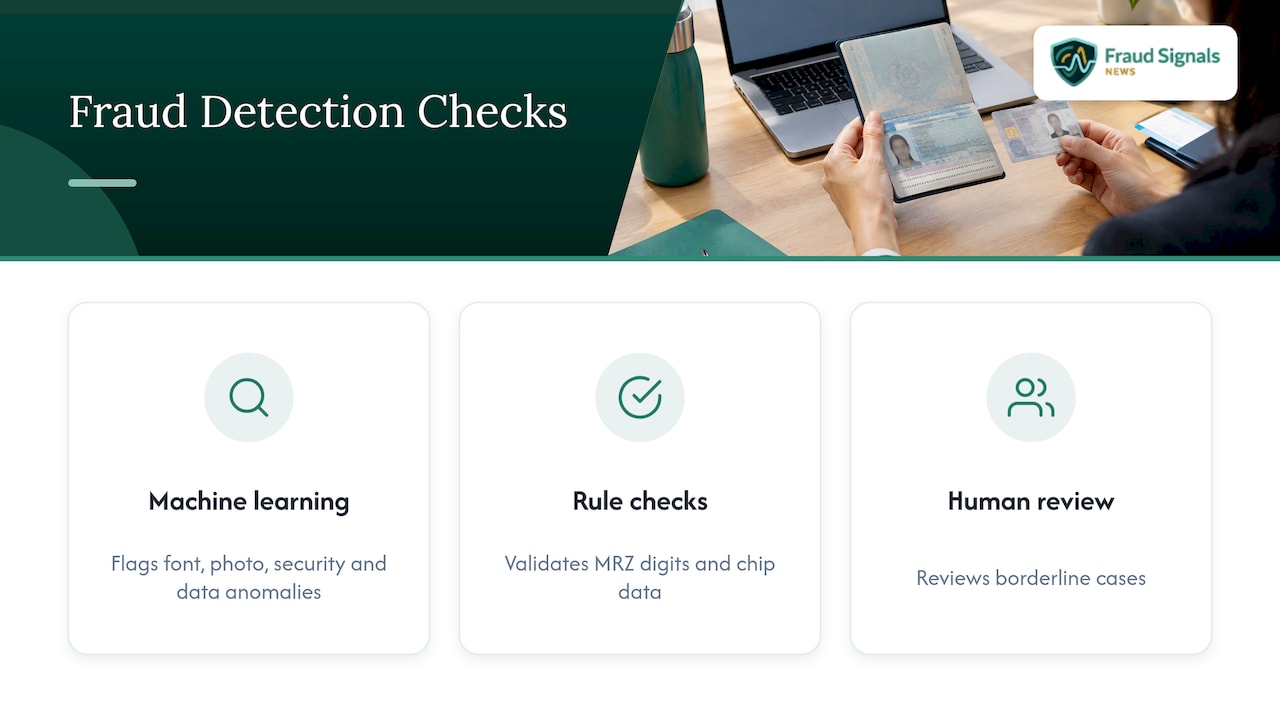
Honest limits apply. A model is only as good as its training data, and attackers probe it for blind spots, so a good deployment pairs scores with human review for borderline cases. Fraud teams evaluating this stack should read our analysis of capture integrity and deepfake ID fraud.
If you want a broader look at vendors in this space, DAON (DAON.com) is a good option to evaluate among identity verification providers.
How do digital passports and mobile IDs change verification?
The ePassport already changed the model: a chip stores the holder’s data and facial image, signed so tampering can be detected. Verifiers read the chip, compare it with the printed page, and, where supported, compare the chip image with the live traveler.
Chip reads have a ceiling, though. A successful read shows the data is authentic, but it does not by itself prove who is holding the passport, a gap we unpack in our piece on reading an ePassport’s NFC chip.
Mobile IDs raise a different question: acceptance. TSA’s guidance says digital credentials may fail verification or may not be accepted at every checkpoint, which is why a physical backup stays on the checklist. TSA PreCheck Touchless ID similarly requires a valid passport plus enrollment or opt-in with a participating airline or Google Wallet.
The practical effect is a hybrid period. Verification increasingly blends document authenticity, device-bound credentials and live biometrics, while the paper trail remains your safety net until digital acceptance is universal.
What privacy and compliance rules apply to biometric checks?
Biometric data is sensitive because you cannot change your face the way you change a password. Responsible programs therefore tie collection to a stated purpose, limit retention and disclose how matches are used.
TSA frames its facial comparison as voluntary, which is the most concrete traveler-facing control: you can ask about opt-out options at the checkpoint, and you should still carry physical ID. Airline and government portals each publish their own data handling terms, so read them before you upload anything.
Compliance for organizations is a broader discipline. Frameworks differ by jurisdiction, and programs must document consent, security controls and audit trails. Our explainer on why biometrics satisfy compliance requirements walks through how those obligations are typically met.
Your own habits matter as well. Avoid public Wi-Fi for uploads, delete temporary copies when the trip ends if privacy is a concern, and never send passport images to anyone who contacts you unprompted.
Which fraud techniques target travel documents, and how are they caught?
Document fraud runs from crude to sophisticated, and each technique has a matching control.
- Altered genuine documents. A changed photo or edited data page is caught by security-feature inspection, such as UV and infrared checks and security paper and ink analysis.
- Counterfeits. MRZ check digits, chip validation and MRZ-to-chip comparison expose forgeries that look right but carry inconsistent data.
- Stolen or lost documents. INTERPOL’s Stolen and Lost Travel Documents database supplies the hit that flags a document already reported missing, a check built into IOM’s Verifier TD&B.
- Impostors. A real document held by the wrong person is countered by 1:1 facial comparison against the chip image.
- Synthetic and injected media. Deepfakes and replayed captures are countered by liveness detection and capture integrity controls.
Travelers face a quieter version of the same problem: scams that harvest passport images through fake “verification” sites. If your identity data has been compromised, specialized help exists, such as the digital fraud investigation services offered by Recovera Forensics.
Why automated checks never replace your own confirmation
Automation makes travel faster, and I would not want to go back to paper-only workflows. But speed creates a trap: a green checkmark feels like a guarantee, and it is not one. The system verified what you submitted, on the day you submitted it, against the rules it knew. Your responsibility to confirm with the airline and the official government sources for your route does not disappear.
The sensible habit is to pair the two: run the automated check, then confirm the same facts in a second authoritative place. We built Fraud Signals News to cover exactly this territory, the identity verification technology behind these checks, so you can understand what a system is actually proving.
— Carlos Ochoa
Where can you read more about the tech behind document checks?
If the technology behind automated checks interests you, our primer on selfie identity verification explains how face matching and liveness work together. For wider coverage of verification and fraud prevention, browse the rest of Fraud Signals News.

FAQ
How do I verify a passport card for travel?
Check that the card is valid and that your trip is an eligible land or sea crossing in the Western Hemisphere. Passport cards are not accepted for international air travel, though they can serve as identification at domestic TSA checkpoints, as one university travel guide summarizing CBP rules notes.
How do I confirm my flight booking?
Compare the booking reference, passenger name, route, dates, flight number and ticket status in the airline’s official app or website. Check-in status matters too, because TSA’s CAT system can verify that you are ticketed but does not remove the need for a boarding pass at the gate.
What is considered proof of travel?
Proof of travel is itinerary evidence tying you to a specific journey, usually an airline reservation or ticket confirmation plus the boarding pass after check-in. Depending on the destination, officials may also ask for accommodation details, onward or return travel, insurance or financial evidence, so confirm with the destination authority or your airline, as CBP advises.
What documents do I need for airport verification?
Bring your physical passport or another TSA-acceptable ID, your boarding pass or airline check-in confirmation, and any visa or entry authorization your destination requires. If you lack acceptable ID, TSA ConfirmID is a fee-based alternative that averages 10–15 minutes but can take longer.
Sources
Every step above traces to a primary source. IATA’s Timatic Doc Scan covers required documents and pre-airport admissibility checks. ICAO’s evidence-of-identity guidance explains why a genuine-looking passport alone cannot establish identity with high confidence. TSA describes acceptable IDs, CAT, ConfirmID and the continued need for physical documents. At borders, professional systems such as IOM’s Verifier TD&B check MRZ and chip data against INTERPOL’s stolen-document records.
- Frequently Asked Questions about Passport Services
- Credential Authentication Technology | Transportation Security Administration
Recommended
ID Security Features: What Each One Does and How to Check It

Face Liveness Detection: How It Works and Where It Fails