
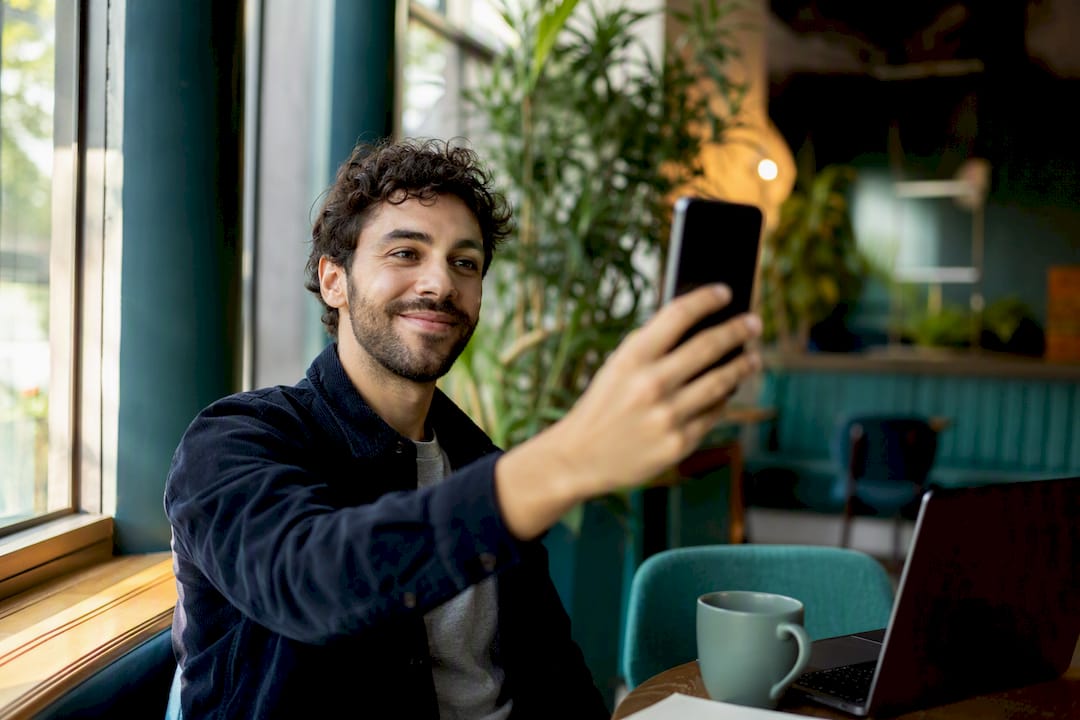
Selfie identity verification confirms a person’s identity by matching a live, in-the-moment photo of their face against a government-issued ID photo, using liveness detection to prove a real human took the picture. It works as a remote identity check for onboarding and step-up authentication, but its results are only as trustworthy as the liveness and document checks running alongside it. Skip either one, and the whole system becomes easy to defeat.
TL;DR:
- Facial matching accuracy can be affected by demographic variations, leading to higher false rejection rates for certain skin tones or age groups.
- Deepfake and synthetic face technologies are advancing rapidly, challenging passive liveness methods trained on older attack data and requiring layered spoof detection signals.
- Combining selfie verification with document forensics and device fingerprinting significantly reduces fraud risk but still faces limitations like accessibility issues and evolving attack techniques.
- Vendors must provide third-party PAD test results, clear data retention policies, and transparent liveness methodologies before adoption to ensure compliance and security.
- Selfie verification is most effective when used selectively for high-risk actions, paired with proper user consent, data minimization, and fallback options for users with accessibility needs.
Table of Contents
- How Selfie Identity Verification Works
- Active Versus Passive Liveness Detection Explained
- Benefits and Limitations of Selfie Verification
- Implementation Best Practices for Selfie Verification
- Where Selfie Verification Gets Used Today
- Getting a Good Selfie: Tips and Common Failures
- What Fraud Signals News Is Tracking Right Now
- Regulatory and Compliance Considerations
- Security Risks Beyond Liveness Detection
- Selfie Verification Versus Other Identity Methods
- Privacy and Consent in Selfie Verification
- What Vendors Owe You Before You Sign
- Where to Go Deeper on Vendor Evaluation
- Sources
- FAQ
How Selfie Identity Verification Works
The process looks simple to the end user: hold up an ID, then take a selfie. Behind that thirty-second interaction, a verification platform runs a sequence of automated checks designed to catch fraud at multiple points, not just one.
- Document capture and validation. The applicant photographs their driver’s license, passport, or national ID. Optical character recognition (OCR) and machine-readable zone (MRZ) parsing extract the name, date of birth, and document number, while forensic checks look for tampering, font irregularities, or mismatched security features.
- Selfie capture with quality gates. The camera captures a live image or short video, rejecting frames with poor lighting, motion blur, or partial occlusion before the match even runs.
- Face-to-ID matching. A matching algorithm compares facial geometry from the selfie against the ID photo and returns a similarity score. Azure Face’s identity verification tools work this way, pairing verification with attribute analysis to flag edge cases like image aging or angle distortion.
- Liveness detection. The system determines whether the selfie came from a live person rather than a photo, mask, or screen replay.
- Decision orchestration. A risk engine combines the match score, liveness result, document validity, and device signals into an approve, deny, or manual-review outcome.
Most vendors return a decision in a few seconds. Socure’s explainer on selfie ID verification notes that combining OCR, biometric matching, and liveness in one flow is what lets providers deliver near-instant results while still catching manipulated documents or spoofed faces. Manual review remains the fallback for low-confidence scores, not a sign the automation failed.
Active Versus Passive Liveness Detection Explained
Liveness detection is the component that separates selfie identity verification from a simple photo comparison, and it comes in two forms that behave very differently under attack.
Active liveness asks the user to perform a gesture: turn their head, blink, or smile on command. It resists more spoof types because a static image or pre-recorded video can’t respond to a randomized prompt, but it adds friction and can frustrate users on slow connections or older devices.
Passive liveness analyzes the selfie or video in the background, using signals like skin texture, light reflection, and micro-movement, without asking the user to do anything. Persona’s breakdown of selfie verification points out that passive methods cut friction but can be less resistant to certain spoof types than active challenges, which is why many platforms blend both.
Anti-spoofing systems typically layer several signal types together:
- Motion and depth analysis to detect flat images or screen replays
- Skin and material texture analysis to catch masks or printed photos
- Device telemetry, including camera sensor data and accelerometer readings
- Neural network models trained specifically to spot deepfake artifacts
Pro Tip: Ask vendors for their iBeta Presentation Attack Detection (PAD) Level 1 or Level 2 test results before signing anything. Level 2 testing covers harder attacks, including 3D masks, and gives you a defensible benchmark for procurement documentation.
Amazon Rekognition Face Liveness can detect spoofs such as printed photos, digital videos, and 3D masks, and mitigates spoofing attacks substantially when built into a full identity verification flow. That “substantially” matters: no liveness engine claims to stop every attack type, which is exactly why layered signals still matter.

Benefits and Limitations of Selfie Verification
Selfie checks reduce account takeover and synthetic-identity fraud by forcing a fraudster to defeat both a document forgery check and a live biometric match in the same session. Fraud teams also see faster conversion, since a well-tuned flow completes in seconds instead of routing every applicant to a manual queue.
The limitations are just as real, and worth naming plainly:
- Accuracy varies across demographics. Some facial matching models show higher false-rejection rates for certain skin tones or age groups, which can lock out legitimate users and create compliance exposure.
- Deepfakes are improving faster than static defenses. Generative video tools can now produce convincing synthetic faces that challenge passive liveness models trained on older attack data.
- Accessibility gaps persist. Users with certain visual impairments, motor limitations, or unreliable camera hardware struggle with active liveness prompts specifically.
- Selfie checks alone are not a full solution. They confirm the person in front of the camera resembles the ID photo. They don’t confirm the ID itself is genuine or that the account isn’t already compromised.
Pro Tip: *Track false-rejection rates by demographic segment during your pilot, not just the aggregate number.
The trade-off comes down to layering: selfie verification paired with device fingerprinting and document forensics catches far more fraud than any single signal running alone.
Implementation Best Practices for Selfie Verification
Deploying selfie identity verification responsibly means building the privacy and operational guardrails in from day one, not bolting them on after a regulator asks questions.
- Get explicit, informed consent. Tell users exactly what biometric data you’re collecting, how long you’ll keep it, and what happens if they decline.
- Minimize retention. Store the match result and audit trail, not the raw biometric template, unless a specific regulatory or fraud-investigation need requires it.
- Choose the right integration model. A hosted flow gets you live fastest with the least engineering lift; an SDK gives you more UI control; a raw API demands the most engineering work but the most flexibility. Azure Face and similar cloud services offer all three depending on your integration needs.
- Monitor the right metrics. Track pass rates, manual-review volume, spoof-attempt frequency, and end-to-end latency weekly, not quarterly.
- Design step-up triggers carefully. Reserve selfie verification for genuinely high-risk moments (new device, large transaction, account recovery) rather than forcing it on every login, which burns user goodwill fast.
- Build a real fallback path. Users who fail repeatedly need a human-reviewed alternative, not a dead end.
Where Selfie Verification Gets Used Today
Selfie identity verification shows up anywhere a business needs to confirm a remote user is who they claim to be, and the specific value shifts by industry.
- Fintech and banking: Account opening and Know Your Customer (KYC) onboarding, where selfie checks catch synthetic identities before they get a routing number. A related use case appears in money transfer apps verifying sender identity before releasing funds.
- Gaming and commerce: Age verification for regulated products and account-integrity checks to stop bulk fake-account creation.
- Healthcare and telehealth: Confirming the patient joining a video visit matches the insurance record, which matters for prescription fraud prevention.
- Travel and mobility: Booking verification and driver identity checks for rideshare and delivery platforms, where a mismatched face is often the first sign of a stolen account.
Getting a Good Selfie: Tips and Common Failures
Most rejected selfies fail for boring, fixable reasons, not sophisticated fraud detection catching something sinister.
- Find even, front-facing light. Backlighting and harsh shadows are the top cause of failed matches.
- Grant camera permissions before starting. Login flags permission blocks, poor framing, and dim lighting as the most common reasons selfies fail.
- Fill the frame without cropping your face. Too close or too far both hurt the match score.
- Remove glasses, hats, or masks unless a documented accommodation requires otherwise.
- Follow on-screen prompts exactly for platforms using video selfies, since ID.me’s video selfie flow requires specific movements that a rushed attempt often misses.
Pro Tip: If a user fails twice for the same reason, route them to human review immediately rather than a third automated attempt. Repeated failures usually mean a device or accessibility issue, not fraud, and a live agent resolves it faster than another algorithm pass.
What Fraud Signals News Is Tracking Right Now
The threat model around selfie verification has shifted fast. Deepfake generation tools no longer require technical sophistication, and synthetic-identity farms now produce coordinated batches of fabricated faces designed to slip past passive liveness models trained on last year’s attack data. Replay attacks, where a fraudster captures a legitimate verification session and re-plays it against a new account, are showing up more often in fraud reports we track across biometrics and deepfake coverage.
Our procurement guidance for readers evaluating vendors is consistent: require third-party PAD test results, not just a vendor’s internal accuracy claims, and confirm the provider maintains an active threat-intelligence feed that updates spoof-detection models as new attack methods emerge. A vendor that can’t produce a recent third-party audit is asking you to trust a black box with your fraud losses.
Regulatory and Compliance Considerations
Selfie identity verification sits at the intersection of biometric privacy law and financial compliance requirements, and the two frameworks don’t always align neatly.
Under the General Data Protection Regulation (GDPR), a facial scan qualifies as biometric data, a special category requiring explicit consent and a documented lawful basis for processing. Organizations serving European users need a clear retention policy and a process for honoring deletion requests. The California Consumer Privacy Act (CCPA) and its amendments treat biometric identifiers similarly, giving California residents the right to know what’s collected and to request deletion.
On the compliance side, selfie verification often satisfies part of Know Your Customer (KYC) obligations under the Bank Secrecy Act and supports Anti-Money Laundering (AML) programs by tying an account to a verified real person at onboarding. Regulators don’t mandate selfie verification specifically, but it’s become a common method for meeting the “identity verification” prong of KYC because it’s harder to defeat at scale than document checks alone.
The compliance risk most teams underestimate isn’t the collection itself but retention. Holding biometric templates longer than necessary, or in a format enabling matching outside the original consented purpose, is where GDPR and CCPA enforcement actions tend to land. Build deletion timelines into your vendor contract, not just your internal policy, and confirm the vendor’s data processing agreement covers cross-border transfer if you operate in multiple jurisdictions.
Security Risks Beyond Liveness Detection
Liveness detection gets most of the attention, but it’s not the only place selfie verification systems break. Credential stuffing and account-takeover attempts often target the verification flow itself, not just the login page, since a successful re-verification can override a fraud flag on a compromised account.
Injection attacks, where a fraudster bypasses the camera entirely and feeds a manipulated video file directly into the API, remain a persistent gap for platforms that don’t validate the capture came from a genuine device sensor. Device fingerprinting and secure SDK architecture close much of this gap by cryptographically binding the capture session to a specific device.
Man-in-the-middle interception during the verification session is another vector, mitigated by end-to-end encryption and short-lived session tokens that expire before a captured session can be replayed elsewhere. Insider risk at the vendor level, meaning improperly accessed biometric databases, is why third-party security audits and SOC 2 compliance should be a contract requirement, not an assumption.
The mitigation strategy that matters most is defense in depth: pairing selfie verification with device intelligence, behavioral biometrics, and velocity checks (how many verification attempts came from one device or IP in a short window) so no single defeated control gives a fraudster a clean path through.
Selfie Verification Versus Other Identity Methods
Selfie identity verification is one tool among several, and the right choice depends on the fraud risk and friction tolerance of the specific transaction.
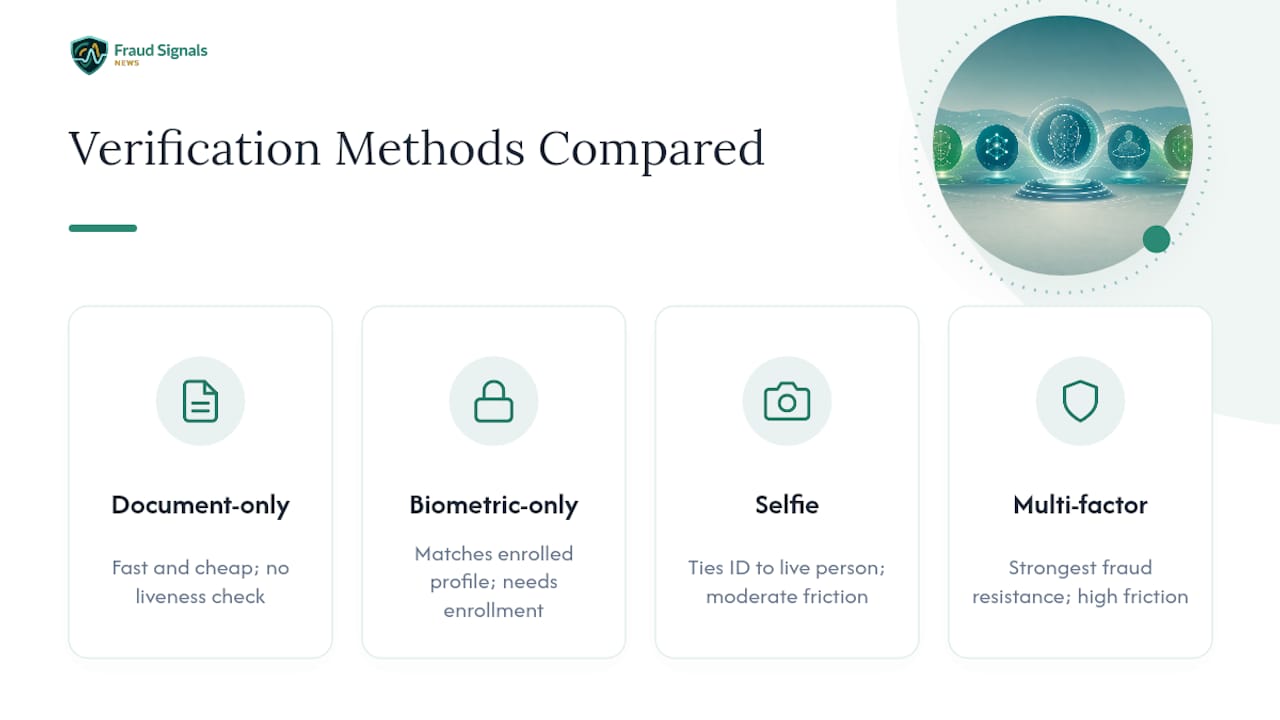
Document-only verification checks the ID’s authenticity through forensic analysis and database lookups but never confirms the person presenting it is the person in the photo. It’s faster and cheaper, but a stolen or purchased ID sails through untouched.
Biometric-only verification, such as a fingerprint or voice match against a previously enrolled profile, works well for returning users but requires an initial enrollment step and doesn’t independently verify a government-issued credential.
Multi-factor identity verification, combining a selfie, document check, device signal, and sometimes a knowledge-based question, delivers the strongest fraud resistance because each layer defeats a different attack type. It’s also the most expensive and highest-friction option, which is why most platforms reserve full multi-factor flows for high-risk moments like large withdrawals or account recovery rather than routine logins.
Selfie verification sits in a practical middle ground: stronger than document-only checks because it ties the ID to a live human, faster than full multi-factor stacks, and increasingly the default choice for onboarding flows that need real assurance without a lot of user friction.
Privacy and Consent in Selfie Verification
Consent for selfie verification has to be more specific than a general terms-of-service checkbox, because biometric data carries its own legal category in most privacy frameworks. Users should see, before capturing anything, what data gets collected, how long it’s retained, whether it’s shared with third parties, and how to request deletion.
The strongest implementations separate consent into distinct, understandable steps rather than bundling it into a wall of legal text nobody reads. A capture screen that explains “we’ll compare your photo to your ID and delete the image after verification unless you opt into faster future logins” builds more trust than a blanket privacy policy link, and it holds up better under regulatory scrutiny.
Data minimization matters as much as consent language. Storing a match score and timestamp satisfies most audit requirements without retaining the raw facial image indefinitely. When a platform does need to retain biometric templates, for repeat-verification convenience, for instance, that use case needs its own explicit opt-in, separate from the one-time verification consent. Bundling the two is a common design shortcut that creates real regulatory exposure.
What Vendors Owe You Before You Sign
The minimum ask from any selfie verification vendor: documented liveness methodology, third-party PAD test results, published false-accept and false-reject rates, and a written data-retention policy you can hand to a regulator. If a vendor won’t share test results or gets vague about retention timelines, that’s a red flag, not a negotiating point. Pilot before you commit, and measure your own pass rates and manual-review volume rather than trusting a sales deck’s numbers.
— Carlos Ochoa
Where to Go Deeper on Vendor Evaluation
Reading about liveness detection and anti-spoofing standards is one thing. Comparing how specific biometric vendors actually perform against those standards is a different exercise entirely, and it’s the one most procurement teams shortchange under deadline pressure.

Fraud Signals News covers the vendor landscape continuously, tracking accuracy claims, third-party audit results, and emerging spoof techniques as they surface across biometrics and deepfake detection. If you’re building a vendor shortlist, DAON is worth including for its identity proofing and biometric authentication platform, alongside the Amazon Rekognition and Azure Face options already discussed. Our biometrics coverage breaks down accuracy and bias findings vendor by vendor, and our deepfake reporting tracks the attack methods your liveness vendor needs to defend against next quarter. Subscribe to Fraud Signals News for ongoing vendor briefings, or visit the Fraud Signals News homepage to start building your evaluation checklist today.
Sources
This article draws on primary vendor documentation and government guidance, including Amazon Rekognition Face Liveness, Azure Face’s identity verification documentation, Login, ID.me’s video selfie instructions, and vendor explainers from Socure and Persona. For ongoing analysis of how these standards evolve, see the Fraud Signals News coverage of biometrics and authentication trends.
- Amazon Rekognition Face Liveness
- Azure Face – identity verification use cases
- What Is Selfie ID Verification? How It Works | Socure
- Login
- What is Selfie Identity Verification? | Persona
FAQ
Is It Safe to Do Selfie Verification?
Selfie verification is safe when the provider uses encrypted transmission, minimal data retention, and documented liveness detection to prevent spoofing; the real risk lies in vendors with weak retention policies rather than the biometric capture itself.
How Do You Complete a Selfie Verification?
Position your face in good, even lighting, remove glasses or hats, follow any on-screen prompts like turning your head or blinking, and hold still until the capture completes; most flows finish in under a minute.
Why Does Login.gov Require a Selfie?
Login.gov uses a selfie to confirm the person creating an account matches the photo on their submitted government ID, adding a biometric layer to prevent stolen or fabricated identities from passing document checks alone.
How Do You Verify Your Identity With an ID.me Selfie?
ID.me’s process typically requires a short video selfie where you follow specific on-screen movements, which the system uses to confirm liveness before matching your face against your uploaded ID photo.
What’s the Difference Between Selfie Verification and Facial Recognition Login?
Selfie identity verification matches a live photo against a government ID during onboarding or a risk event, while facial recognition login re-authenticates a previously enrolled user, without checking a document at all.
Recommended
ID Security Features: What Each One Does and How to Check It

Face Liveness Detection: How It Works and Where It Fails