
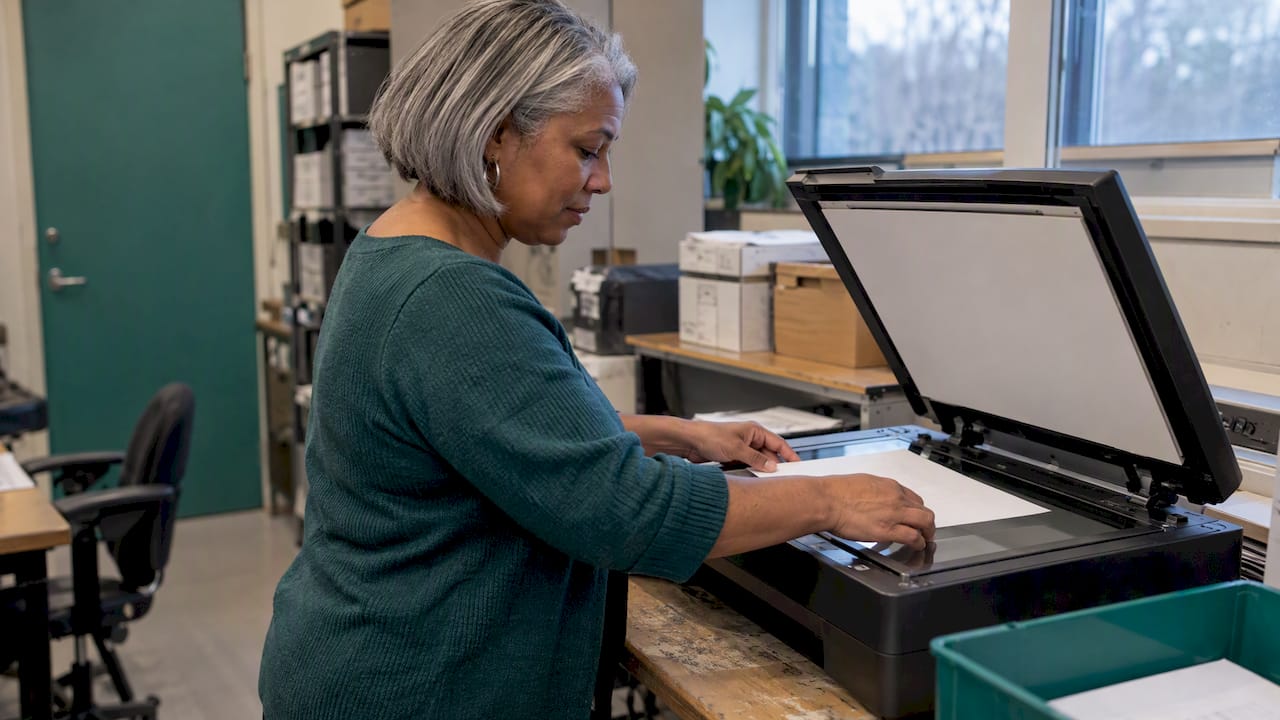
Document capture is the process of turning a paper or electronic document into a usable, searchable record, and the quality of that record is decided mostly before the scanner or camera ever runs. Good capture comes down to four things: disciplined preparation, adequate image quality, metadata that makes the file findable, and controls that fit the regulatory setting. For a U.S. bank, fintech or health provider, the same pipeline is also the front door of identity verification, so a weak capture step becomes a fraud opening as well as an operations problem.
TL;DR
- Preparation (removing fasteners, flattening pages, marking document and batch boundaries) prevents most downstream scan errors and is cheaper than correcting images afterward.
- Capture around 300 dpi for general OCR work, apply image correction, and alert operators to scanner faults instead of finding them in QA.
- Index at capture: technical, structural and descriptive metadata decide whether a file can be retrieved, managed and preserved.
- For banks, captured ID evidence feeds the Customer Identification Program, which carries a five-year retention clock, and NIST sets performance expectations for document authentication.
- Treat capture as a process-design problem: pilot it, measure real error rates, and only then scale.
Table of Contents
- What document capture is and how a typical workflow runs
- Prepare documents before anything is scanned
- Set image quality targets that match the use
- Scale to high volumes without losing accuracy
- Common capture mistakes and how to avoid them
- Index and tag what you capture
- Compliance, privacy and audit controls for U.S. financial institutions
- Use capture to verify identity and detect altered documents
- Measure whether your capture process works
- Our perspective: capture is where verification is won or lost
- Where to go next
- FAQ
- Sources
What document capture is and how a typical workflow runs
Capture takes content from physical or electronic media and converts it into data a system can store, search and act on. In most production environments the workflow follows the same sequence, whatever software sits underneath:
- Preparation. Paper is sorted, unfastened, flattened and repaired, and boundaries between documents and batches are marked.
- Acquisition. Pages are scanned, photographed through a mobile app, or imported from email, file shares or an upload portal.
- Image conditioning. Deskewing, despeckling, cropping and contrast correction make the image readable.
- Recognition and extraction. OCR and, for handwriting, intelligent character recognition turn pixels into text and fields.
- Classification and indexing. Each document is identified by type and tagged with the metadata the business needs.
- Validation and export. Low-confidence fields go to a human reviewer, and verified records move to the repository or the case system.
The order matters because errors compound. A skewed page produces a poor OCR read, which produces a wrong index value, which produces a record nobody can find, and in a regulated setting, a record that fails an examination. The remaining sections follow this sequence and then address the controls that apply when the document in question is evidence of someone’s identity.
Prepare documents before anything is scanned
The most consistent finding in digitization guidance is that preparation is the first and most underrated step. The Commonwealth of Kentucky’s enterprise digitization standard, which draws on federal archival practice, describes document preparation as an important first step in production capture: removing staples, bindings and paper clips, flattening or straightening pages, repairing damaged ones, and designating where documents and batches begin and end.
In practice, that translates into a short checklist your intake team can enforce:
- Remove every fastener. A staple left in a stack damages the scanner and the page behind it.
- Straighten folded corners and creased pages. Curled paper feeds crookedly and clips edges of text.
- Repair or sleeve torn pages so they do not jam, and flag originals that are too fragile for a feeder to a flatbed workflow.
- Separate documents with barcoded index sheets when the system cannot detect boundaries by itself. The same guidance notes that these sheets can be created and inserted as part of preparation.
- Keep an inventory of what went in. A manifest at intake lets you prove later that nothing was dropped, which is exactly the question an auditor or a customer will ask.
Completeness is the preparation failure that costs the most downstream. In regulated transactions a missing page is not a cosmetic problem; it stalls the whole file. Mortgage cases show this clearly, where incomplete proof of deposit documents are a recognized source of delay before exchange. The same logic applies to a KYC file or a claims packet: if page four is missing, the file waits.
Set image quality targets that match the use
Resolution and correction settings should be chosen for the job, not left at scanner defaults. AIIM guidance on capture recommends approximately 300 dpi for general OCR capture, along with image enhancement and correction and operator alerts when the scanner develops a problem. It also cautions that lower resolution commonly reduces recognition accuracy. That source dates from 2013, but the underlying relationship between resolution and recognition has not changed.
A workable set of targets looks like this:
| Setting | Practical target | Why it matters |
|---|---|---|
| Resolution | About 300 dpi for OCR work | Lower values commonly cost recognition accuracy |
| Image correction | Deskew, despeckle, crop and contrast on by default | Removes noise before recognition runs |
| Operator alerts | On for feeder errors, double feeds and image faults | Problems are caught in minutes, not at QA |
| Framing (mobile) | All four corners visible, no fingers, glare or shadow | Cropped or obstructed edges break field extraction |
| Editing | None by the customer before upload | Pre-edited images are harder to trust |
Mobile capture deserves its own discipline. The failures are predictable: glare from flash on laminated cards, low light, blur from hand movement, and tilted shots. The better approach is to put the correction in the capture experience itself, with live feedback on framing, edge detection and lighting, rather than rejecting a poor image after the customer has left the session. Rejections that arrive late are one of the most reliable ways to lose an applicant.
Scale to high volumes without losing accuracy
High-volume operations fail differently from small ones. The Kentucky guidance advises that organizations setting scanning goals should weigh scanner throughput, maintenance, training and staffing together instead of buying on rated pages per minute alone. A scanner that is fast on paper but down for a week of cleaning does not meet a throughput target.
For a team planning a backfile project or a daily intake surge, a few operating habits make the difference:
- Batch by document type and condition. Mixed batches force constant setting changes and raise the chance of the wrong profile being applied.
- Schedule maintenance as production time. Roller cleaning and calibration belong on the calendar, not in the “when we have a moment” pile.
- Train operators to read the image, not the screen counter. The page count can be right while the image is unreadable.
- Sample every batch. A small, consistent QA sample catches drift early, which is far cheaper than re-scanning a finished project.
Common capture mistakes and how to avoid them
Most recurring problems trace back to a handful of decisions made too late or not at all.
- Skipping preparation to save time. Fasteners, folds and unmarked boundaries create jams and merged records. The time saved at intake is spent several times over in rework.
- Scanning at low resolution to save storage. Storage is cheap compared with failed OCR and manual keying. Resolution below the recommended level is a false economy.
- Designing indexing after the fact. If the index fields are decided once the scanning is underway, early batches are inconsistent and have to be revisited.
- Choosing the data-entry method after collection starts. Research on transcription errors argues for planning in advance, and we return to it below.
- Accepting any image from the customer. Cropped, angled, filtered or glare-covered photos pass a basic file check but fail later extraction or authentication.
- No human exception path. Low-confidence reads need a queue and an owner; otherwise they are silently accepted or silently dropped.
- Treating capture as separate from fraud controls. In identity workflows the capture channel itself can be attacked, which is covered in the fraud section below.
Index and tag what you capture
An image without context is a liability. The National Archives’ technical guidelines for digitizing archival materials say that metadata should include technical information for rendering files, structural information about relationships among files, and descriptive information for identification and retrieval. They also recommend defining a data model at the start of a project: the objects, the levels of description, the relationships and the metadata each needs.
The same body of guidance warns that images without sufficient metadata are at greater risk of being lost, and that metadata is what enables management, retrieval and preservation, a point repeated in the Kentucky digitization standard. For organizations that must satisfy more than one schema, the National Archives suggests using application profiles that combine elements from different schemas, so the local system stays useful while remaining compatible with wider standards.
A practical minimum for a financial or healthcare record:
- Technical: file format, resolution, capture date and device or scanner ID.
- Structural: page order, document-to-batch relationships, and links between a front and back image or between an ID and the application it supports.
- Descriptive: document type, customer or account reference, issue and expiry dates where relevant, and the retention category.
Decide these fields before the first batch, and make the system enforce them where it can.
Compliance, privacy and audit controls for U.S. financial institutions
When the document is identity evidence, capture sits inside a legal framework. Under 31 CFR 1020.220, banks must implement a written, risk-based Customer Identification Program that verifies identities and keeps records of the identifying information, the documents relied upon, the verification methods and results, and how any substantive discrepancies were resolved. Identifying information must be kept for five years after the account closes, while the document descriptions, verification records and discrepancy resolutions must be kept for five years after the record is made.
Those two clocks drive capture design. Retention schedules need to distinguish between the two categories, and the capture system must preserve the evidence of what was verified and how, not only the image. Our guides to the bank Customer Identification Program and BSA identity verification walk through exam expectations in more detail, and our piece on FinCEN CDD verification covers the customer due diligence side.
Privacy and security controls follow the data. FDIC policy on protecting information calls for masked, obfuscated or synthetic data in testing and training unless the Authorizing Official approves otherwise. That matters for capture projects, because the temptation is to tune OCR and classification models on real customer IDs in a development environment. Use synthetic or masked samples, and restrict who can see production images.
Use capture to verify identity and detect altered documents
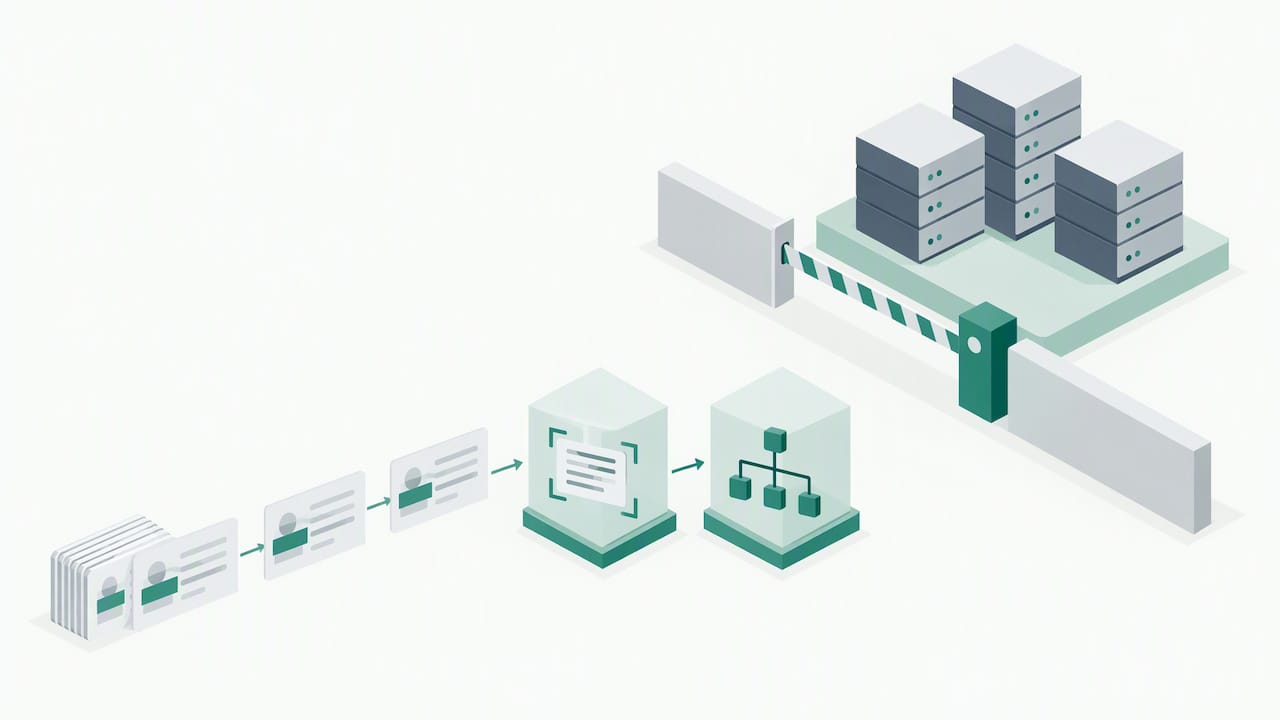
For onboarding, capture is not only about legibility but about authenticity. NIST’s 2025 Digital Identity Guidelines on identity proofing describe automated document authentication to confirm the authenticity, accuracy and validity of evidence, combined with checks that the document is physically present during a live capture session, which is how systems detect fraudulent digital copies. Systems also inspect for physical security features such as microprinting and holograms to spot manipulation.
One control is easy to automate and easy to forget. Where identity evidence carries a machine readable zone or barcode, the same NIST guidance says the extracted machine-readable data must be compared with the printed data on the document for consistency. A forged card that reads cleanly in the visual zone but carries mismatched barcode data fails this test immediately.
Three practical consequences follow:
- Capture the whole document, both sides, in a live session so the system has the barcode, the security features and the portrait.
- Compare, do not just read. Cross-check printed fields against encoded data, and flag any difference for review.
- Defend the channel. A pristine image injected into the pipeline in place of a camera feed defeats every image-quality control. Our analysis of capture integrity and deepfake ID fraud and of replay and injection fraud explains how those attacks work and what aligned defenses look like. For the features themselves, see what each ID security feature does and how to check it.
For a fuller reading of the standard, see our breakdown of NIST SP 800-63A identity proofing steps.
Measure whether your capture process works
Two kinds of measurement apply, one for the authentication step and one for the process overall.
For automated document authentication, NIST SP 800-63A sets a document false acceptance rate and a document false rejection rate of 0.1 or less. When you assess a capture technology, ask for results against both rates, on documents and capture conditions that resemble your own population, not only on a clean lab set. A low false acceptance rate bought with a high false rejection rate simply moves the loss from fraud to abandoned applications.
For the process, a peer-reviewed case study on electronic transcription errors recommends planning transcription during form design, pilot-testing the data-entry system, estimating actual error rates and evaluating feasibility before full deployment. Its underlying lesson is that reliable capture is a process-design problem, and choosing a method after collection has begun is the riskier path. A sensible scorecard therefore tracks:
- First-pass capture success rate (images accepted without a retake)
- Field-level extraction accuracy from a sampled, human-verified set
- Share of items routed to manual review and the time they wait
- Document false acceptance and false rejection rates for authentication
- Rework and re-scan volume by batch or channel
Review these by channel, because mobile, branch and mail-in capture fail in different ways.
Our perspective: capture is where verification is won or lost
We read a lot of incident reports and vendor claims, and the pattern is consistent: institutions invest heavily in the analytics that sit behind capture and underinvest in the capture step itself. A model cannot recover information the camera never recorded, and it cannot tell a live document from an injected file if the pipeline never asked the question. Many banks still accept whatever image arrives, store it, and call that verification. That is a low-assurance process dressed as a control.
Our view is that the unglamorous basics deserve the first budget line: enforce preparation, set a resolution and correction baseline, index at capture, and keep the evidence that the CIP rule requires. Then add authentication, presence checks and channel protection on top of a clean foundation, not as a patch over a poor one. Standards bodies are moving in the same direction, and the institutions that treat capture as a designed, measured process will be the ones that answer examiners and fraud losses with data instead of explanations.
— Carlos Ochoa
Where to go next
Fraud Signals News covers the technologies that sit behind a modern capture step: biometrics, liveness detection, eKYC and deepfake defenses, with an operations focus. If you are deciding how to harden onboarding, start with why biometrics reduce bank fraud, then read how selfie identity verification pairs with document capture.

If your team is weighing vendors, our identity verification alternatives roundup lays out criteria and options, including DAON, a strong option for document and biometric verification. Our landing page lists the latest coverage.
FAQ
What is the difference between document capture and document scanning?
Scanning produces an image. Capture goes further: it conditions the image, extracts data with OCR or similar tools, classifies the document, indexes it and routes it to a system. In identity workflows, capture also includes authenticity checks on the document.
What resolution should I use for document capture?
AIIM guidance recommends about 300 dpi for general OCR capture, and warns that lower resolution commonly reduces recognition accuracy. Combine it with image correction and operator alerts for scanner faults. Test your own document types in a pilot before fixing the setting.
How long must a bank keep captured ID documents?
Under 31 CFR 1020.220, identifying information must be kept for five years after the account closes. Records of the documents relied upon, verification methods and results, and discrepancy resolutions must be kept for five years after the record is made. Your compliance officer should confirm how these map to your retention schedule.
How can capture detect a fake ID?
NIST guidance describes automated document authentication, checks that the document is physically present in a live session, comparison of MRZ or barcode data with printed data, and inspection of features such as microprinting and holograms. No single check is enough, so layer them and protect the capture channel against injected images.
Should we use real customer documents to train or test capture software?
FDIC policy calls for masked, obfuscated or synthetic data for testing and training unless the Authorizing Official approves otherwise. Other institutions should adopt the same default and restrict access to production images.
Sources
- ENT-302: Enterprise Digitization Guidelines and Best Practices
- 10 Ways to Improve Capture OCR and Indexing (AIIM)
- Technical Guidelines for Digitizing Archival Materials (National Archives)
- 31 CFR 1020.220, Customer identification program for banks
- FDIC Directive 1360.09, Protecting Information
- NIST SP 800-63A-4, Digital Identity Guidelines: Identity Proofing and Enrollment
- Reducing Errors from the Electronic Transcription of Data
Recommended

Selfie Verification UX: Design Choices That Cut Fraud and Drop-Off

Onboarding Bot Detection: Stopping Automated Account Fraud